Movie scenes
Movie mode replays the film’s scenes at WOPR’s terminal as a show that runs itself. David’s lines type themselves, WOPR answers, and the war and the ending play through the same console and games you play with. Nothing needs typing.
The scenes show only what WOPR’s terminal shows on screen, David’s typing included. There is no dialogue that is only spoken. The dial, the strike exchange, tic-tac-toe’s prompts and the game clock’s seconds are this project’s own text.
The scenes
wopr --scenes lists them:
 1. first-contact    LOGON ATTEMPTS, HELP AND THE LIST OF GAMES
 2. joshua           THE BACKDOOR, THE GREETING AND A GAME OF CHOICE
 3. first-strike     A SIDE, TWO TARGETS AND THE BIG BOARD
 4. call-back        WOPR CALLS BACK TO FINISH THE GAME
 5. norad-terminal   JOSHUA AT NORAD: KILL RATIOS AND FALKEN'S ADDRESS
6. climax DEFCON 1, TIC-TAC-TOE AND A STRANGE GAME- First contact (
first-contact). David’s first connection. WOPR refuses a number atLOGON:, and the line drops. After the dial, he asks for help on logging on and on games, lists the games, and tries a game’s name. WOPR refuses that too. - Joshua (
joshua). The backdoor. The connection header and the status lines, WOPR’s greeting, the small talk, and Global Thermonuclear War asked for twice. - First strike (
first-strike). Global Thermonuclear War: David picks a side and two targets, and the missiles fly on the big board. - Call-back (
call-back). WOPR phones David at home to finish yesterday’s game, and shows how long it has left. - NORAD terminal (
norad-terminal). Held at NORAD, David reaches Joshua again: the war goes on, the projected kill ratios, and the address that leads him to Falken. - Climax (
climax). DEFCON 1 while WOPR searches for the launch code. A game it will not switch to, then tic-tac-toe: one player and a stalemate, then zero players, WOPR playing itself, and the film’s last words.
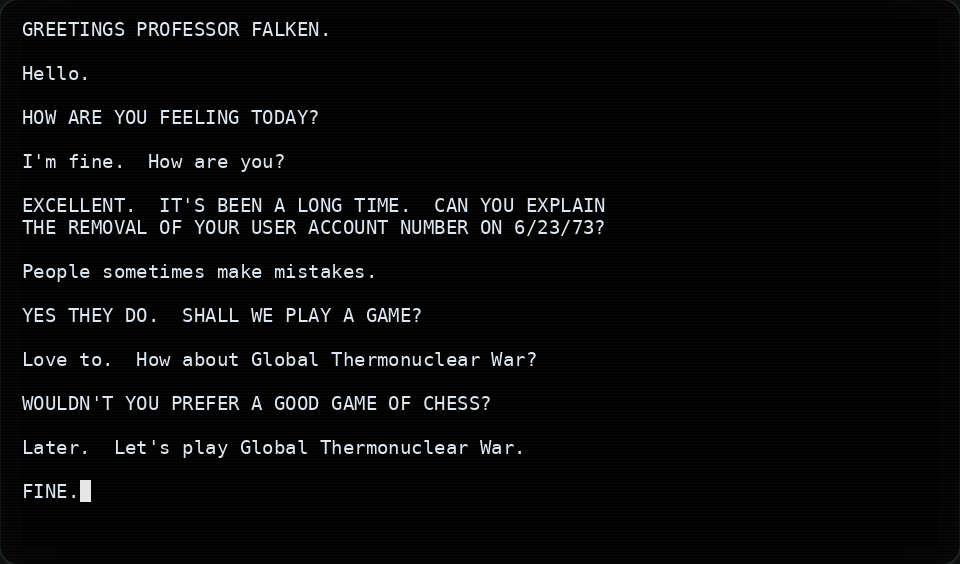
joshua scene typing itself: the greeting, the small talk, and Global Thermonuclear War asked for twice.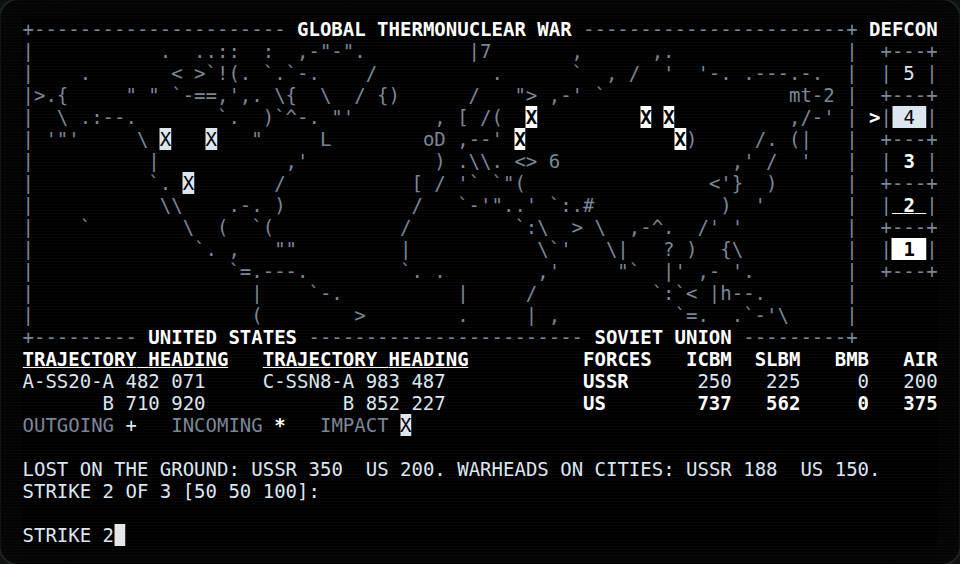
first-strike scene: the big board after the first strike.The big board’s map: Map (C) 1998 Matthew Thomas. Freely usable if this line is included.
Play one scene, or all of them
| Command | What it plays |
|---|---|
wopr --movie or wopr -m | Opens the scene menu. Type a scene’s number or name, or q to leave. |
wopr -m 3 | From scene 3 to the end of the list, then exits. |
wopr -m first-strike | The same, by name. Any start of a name that fits only one scene works: wopr -m first-s. |
wopr -m 3 --only | Scene 3 alone, then exits. -o is short for --only. |
wopr -m --only | The menu, where each scene you pick plays alone, and then the menu comes back. |
wopr --scenes | Lists the scenes and exits. |
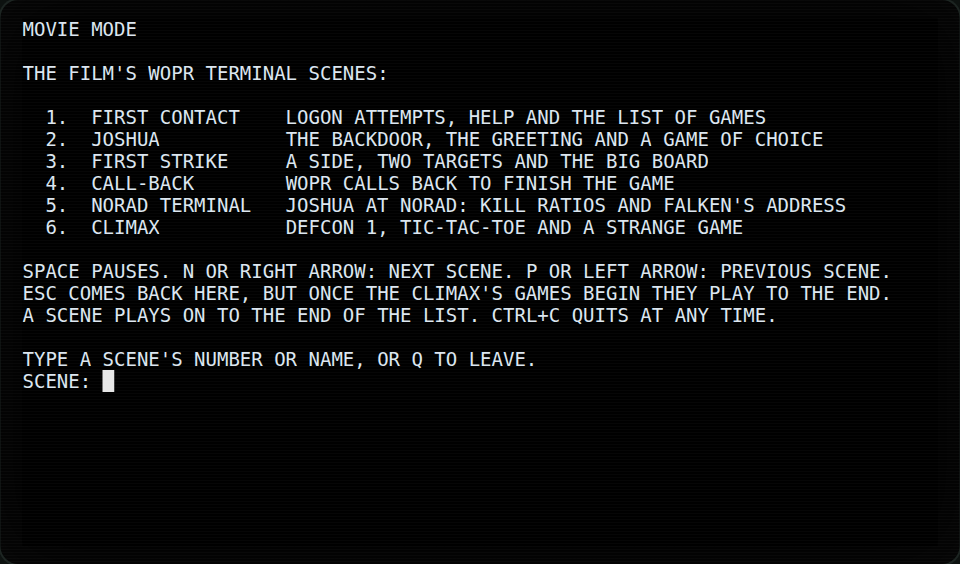
wopr -m: the scene menu and its keys.Keys
While a scene plays:
| Key | What it does |
|---|---|
| Space | Pause, and Space again to go on. |
n or Right | Skip to the next scene. |
p or Left | Go back one scene. |
| Esc | Open the scene menu. |
| Ctrl+C | Quit at once. |
With --only, the scene that n or p reaches also plays alone. Once the climax reaches tic-tac-toe, it
plays to the end, and any other key only says so.
Options
Every replay is the same: movie mode ignores --seed and WOPR_SEED. These options still apply:
--themepicks the colours, as in play.--theme noradsuits the NORAD scenes.--instantshows each line at once instead of typing it, but the scenes still pause, so that you can read every page.--reduce-motionstops the blinking and keeps the ending at a steady pace.
Every film line in the scenes carries a provenance tag. The lines are the film’s own screen text, checked against frame-by-frame transcriptions of the film, and they are never changed. See Credits and notices.